Immediate control
Turn lights and rooms on or off and adjust brightness from a compact interface designed for Apple Watch.
Control Hue lights, rooms, zones, brightness, colors, and color temperature directly from Apple Watch.
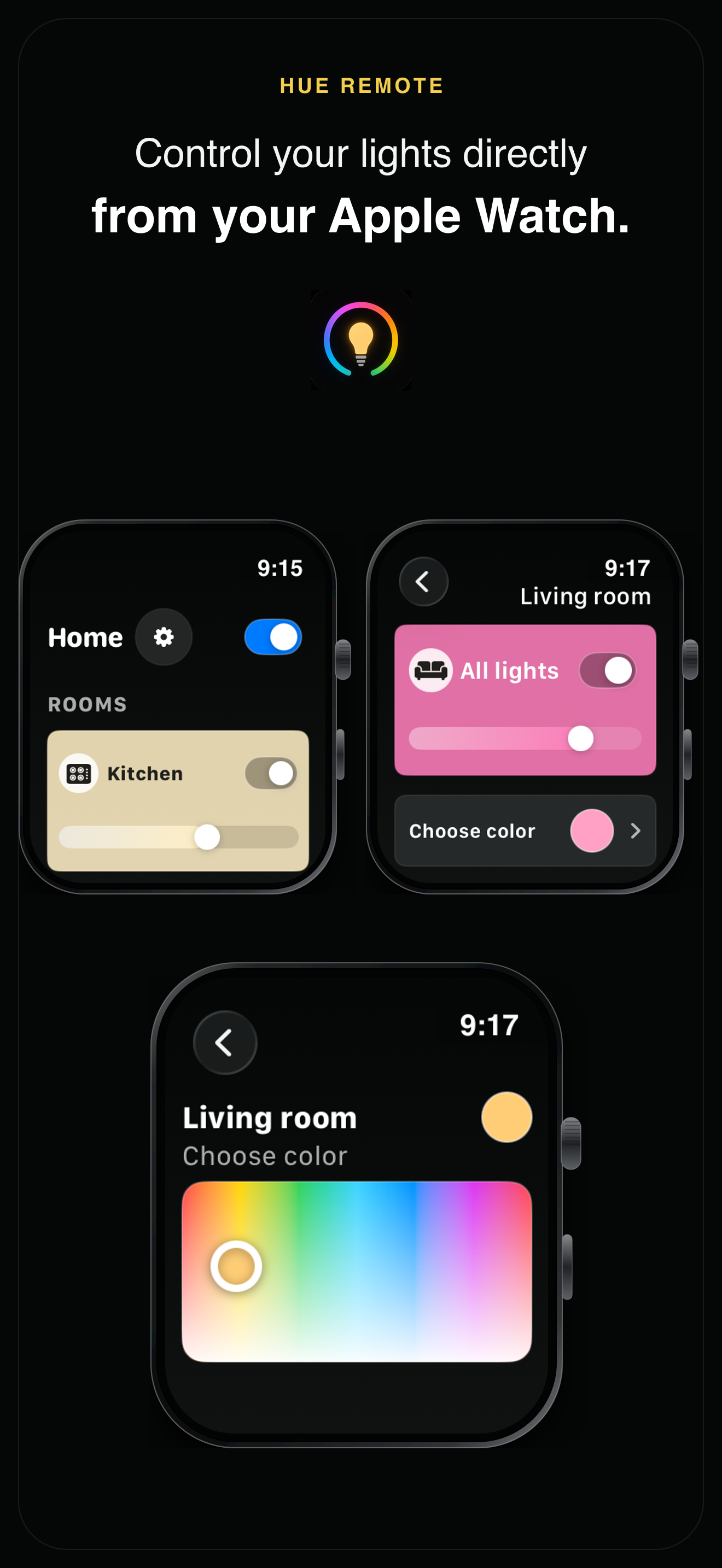
Turn lights and rooms on or off and adjust brightness from a compact interface designed for Apple Watch.
Adjust color and color temperature in real time. Save, rename, reorder, and remove quick colors to keep favorites close.
Browse rooms, zones, entertainment areas, and individual lights with customizable ordering and support for multiple Hue Bridges.
Hue Remote requires a compatible Hue Bridge and the iPhone companion app. Remote control outside your home network requires an internet connection and a connected Hue account.
Hue Remote for Watch is available in 19 languages: English, Finnish, German, French, Dutch, Spanish, Swedish, Norwegian, Danish, Italian, Japanese, Brazilian Portuguese, European Portuguese, Polish, Korean, Simplified Chinese, Traditional Chinese, Czech, and Turkish.
Yes. Hue Remote is designed for homes with a compatible Hue Bridge and uses the iPhone companion app for pairing and synchronization.
Yes. Connect your Hue account in the iPhone app to enable remote control when your Apple Watch has an internet connection.
You can control lights, rooms, zones, power, brightness, colors, color temperature, and your saved quick colors.
Contact edman.build@gmail.com or visit the support page.